Earth, Moon, and Everything Between
The Cislunar Visualizer is ExoAtlas's first dedicated tool for the cislunar regime — the gravitational neighborhood spanning low Earth orbit, geostationary belt, lunar transfer trajectories, and the Earth‑Moon Lagrange points. Built on WebGL 2 with a custom DOPRI 8(7) integrator, the tool runs entirely in your browser and is purpose‑built for the mission profiles enabled by Artemis, commercial lunar landers, and cislunar space domain awareness.
Core Features
1. Three Reference Frames, One Scene
Switch instantly between the three frames that matter for cislunar work:
- ECI (Earth‑Centered Inertial) — classic J2000 inertial frame for Earth‑centric trajectory analysis.
- Synodic (Earth‑Moon Rotating) — Moon held stationary on the +X axis to reveal halo orbits, DROs, and Lagrange‑point dynamics.
- MCI (Moon‑Centered Inertial) — centered on the Moon for low‑lunar‑orbit and surface‑site work.
2. CR3BP and Libration Points
The Circular Restricted Three‑Body Problem is a first‑class citizen:
- All five Earth‑Moon Lagrange points (L1–L5) rendered as labeled markers in any frame.
- Jacobi constant reported per object so you can verify integration quality (drift < 1e‑6 over a full revolution).
- DOPRI 8(7) Hairer–Nørsett–Wanner integrator with PI step controller for stable long‑duration propagation.
3. Trajectory Presets
Add representative cislunar trajectories with a single click:
- NRHO (Near‑Rectilinear Halo Orbit) — the Gateway‑class L2 halo.
- DRO (Distant Retrograde Orbit) — long‑term‑stable lunar orbit.
- EML2 Halo — classic L2 halo family member.
- TLI (Trans‑Lunar Injection) — patched‑conic Earth departure.
- BLT (Ballistic Lunar Transfer) — low‑energy weak‑stability‑boundary route.
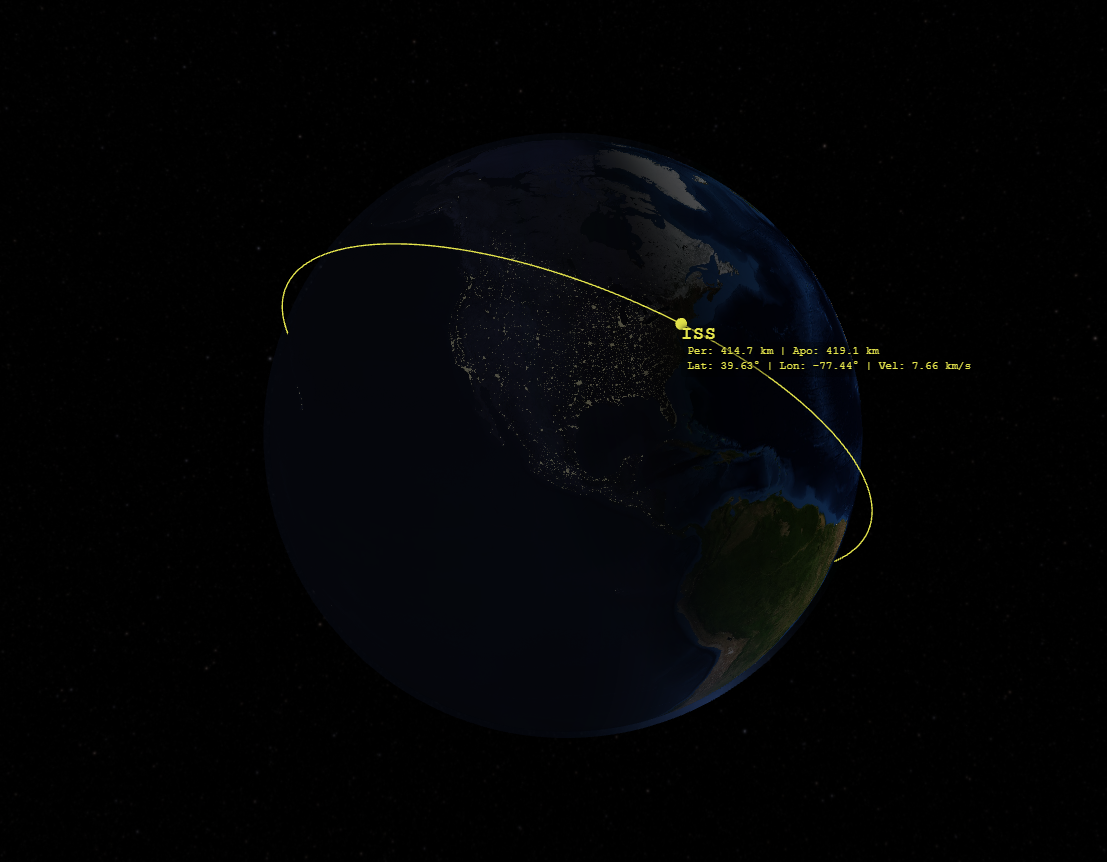
- LLO (Low Lunar Orbit), ISS, GTO, and free‑form Keplerian orbits about either body.
4. Lunar Surface Site Catalog
~30 curated locations rendered as labeled MCI markers, including:
- Apollo landing sites 11, 12, 14, 15, 16, and 17.
- Robotic landers — Luna 2/9/13/16/17/20/21/24, Chang'e 3/4/5/6, Chandrayaan‑3, SLIM, IM‑1, Blue Ghost.
- 13 Artemis III candidate regions at the lunar south pole.
- Permanently shadowed regions — Shackleton, Cabeus.
5. Live Cislunar Object Feed
Toggle the live feed to overlay tracked cislunar spacecraft sourced from data.exoatlas.com/cislunar‑objects.json. ETag‑aware polling refreshes once per minute with exponential backoff on failure, so the scene stays current without hammering the network.
6. Scenario Save, Load, and Share
Build a scenario, then:
- Save to browser local storage for instant recall.
- Share the entire scenario through a single URL when small enough to fit, or export to JSON otherwise.
- Load from JSON to reproduce a colleague's trajectory analysis bit‑for‑bit.
7. Time Controls and Camera
- Time‑warp presets from real‑time up to days‑per‑second, plus pause and reset‑to‑epoch.
- Spherical orbit camera with smooth eased focus transitions, pinch zoom, and right‑click pan.
- Focus selector for Earth, Moon, barycenter, Lagrange points, or any scenario object.
- HUD reports the active frame, simulation UTC, FPS, and live‑feed status.
Technical Implementation
- WebGL 2 renderer with hand‑written GLSL: textured Earth with day/night blend, Hapke opposition‑surge moon shading, 16K starmap, instanced billboards for Lagrange points and surface sites, and Uint32‑indexed sphere meshes.
- DOPRI 8(7) adaptive Runge–Kutta integrator with PI step controller for the CR3BP — the same algorithm class used in research‑grade astrodynamics codes.
- Float64Array state vectors throughout to preserve precision over multi‑day propagations.
- ES modules, no build step, strict Content Security Policy with per‑request nonces — the entire UI uses delegated event listeners and data attributes, never inline handlers.
- Same‑origin iframe architecture: a public landing page at
/cislunar/embeds the WebGL app at/cislunar/app/.
Use Cases
- Mission design — sketch TLI / NRHO / BLT trajectories and inspect them in the rotating frame.
- Artemis and commercial lunar surface planning — visualize candidate landing regions in geographic context.
- Cislunar space domain awareness — track operational spacecraft via the live feed.
- Education — demonstrate the synodic frame, libration points, and three‑body dynamics interactively.
- Research prototyping — validate analytical results against numerical CR3BP propagation.
Getting Started
The Cislunar Visualizer is available now at exoatlas.com/cislunar.
- Open the tool and pick a reference frame (ECI, Synodic, or MCI).
- Click Add Object and select a preset such as NRHO or DRO — or enter your own Keplerian elements / CR3BP initial conditions.
- Use the time controls to advance the simulation and watch trails accumulate.
- Toggle the live feed to overlay real cislunar spacecraft.
- Save or share your scenario when it's ready.
What's Next
- High‑fidelity ephemerides — replace the analytic Moon model with DE‑series JPL ephemerides for mission‑grade accuracy.
- Manifold visualization — render the stable / unstable invariant manifolds emanating from halo orbits and Lagrange points.
- ΔV planning — interactive impulsive‑burn editor with cost summaries.
- Sun / SRP perturbations — bi‑circular and full‑ephemeris dynamics for long‑duration trajectories.
- Mission catalog — quick‑load Artemis, Gateway, CAPSTONE, and other reference missions.
The ExoAtlas Cislunar Visualizer is a foundation release. We're shipping it early so the community can explore, critique, and shape the roadmap. Try it, share scenarios, and let us know what to build next.